 Get YouTube Text
YouTube Captions vs Subtitles vs Transcripts: The Difference
People use the words captions, subtitles, and transcript as if they all mean the same thing. They are related, but they are not the same. And the difference matters when you want to read a video, add text to your own video, or make your video easy for everyone to use.
Here is the short version. Captions and subtitles are text shown on the video while it plays. A transcript is the full text pulled out of the video so you can read it on its own. And between captions and subtitles there is a small difference too, which comes down to who the text is for.
This guide explains captions, subtitles, and transcripts in plain words. It shows you what each one is, how they are different, and when to use each. At the end, you will see how to get any of them from a YouTube video for free.
The quick answer
| What it is | Shown on the video? | Includes sounds? | |
|---|---|---|---|
| Captions | The speech, timed to the video, for people who cannot hear it | Yes | Yes (music, laughter) |
| Subtitles | The speech, timed to the video, usually a translation for people who cannot understand the language | Yes | No, just the words |
| Transcript | The full spoken text as one page you can read | No | Depends on the source |
What are captions?
Captions are text shown on a video, timed to match the words. They are written for people who cannot hear the sound. That is the key idea: captions are for people who need to see the audio.
Because of that, good captions include more than just the talking. They also note sounds, like [music], [applause], or [laughter]. They say who is speaking when it is not clear. All of this helps a person who cannot hear follow along, because sound is a big part of a video, not just the words.
On YouTube, captions come from one of two places. Sometimes the creator writes and uploads them. Other times YouTube makes them on its own, using speech recognition. You turn captions on with the CC button on the player. And here is a useful bonus: if a video has that CC button, it has captions, which means you can also pull a transcript from it.
What are subtitles?
Subtitles are also text on the video, timed to the words. But they are written for a different person. They are for someone who can hear the sound fine, but does not understand the language. So subtitles usually translate the talking into another language.
Because the viewer can hear, subtitles leave out the sound notes. They do not say [music] or [applause], because you can hear those yourself. They just give you the words, translated. For example, a Spanish video with English subtitles shows the English words of what is said, but not the sounds around it.
In real life, and even in YouTube’s own menus, these two words often get mixed up. Many people say “subtitles” when they really mean “captions.” If you want a simple rule to remember the difference, here it is: captions are for people who cannot hear, and subtitles are for people who cannot understand the language.
What is a transcript?
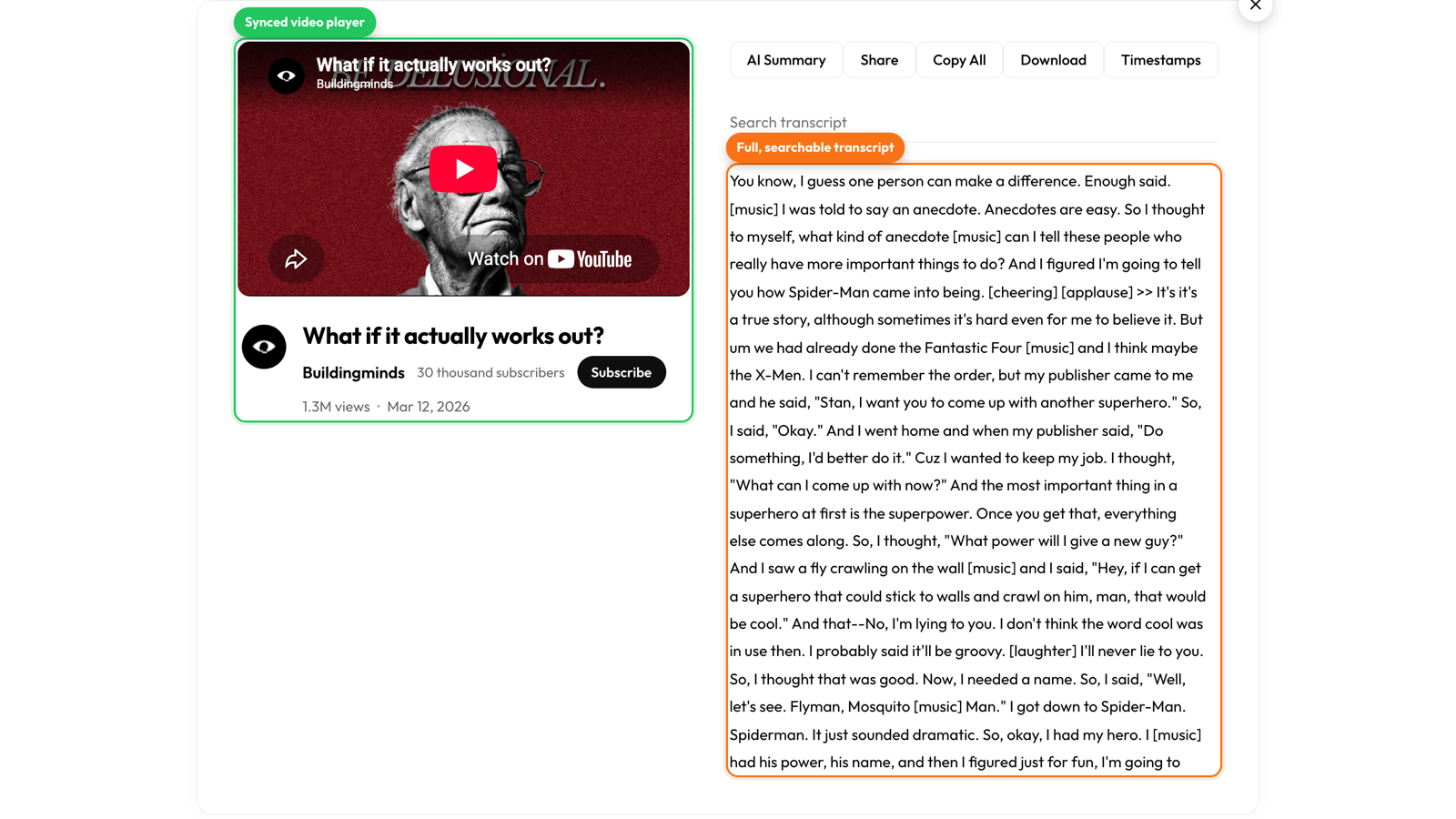
A transcript is the full text of everything said in the video, written out as one block. The big difference is that it is not shown on the player. It is pulled out of the video so you can use it on its own.
Because it stands alone, you do different things with a transcript. You read it like an article. You search it for a word. You copy it, or send it to an AI tool to make a summary. A transcript can keep timestamps, so each line points to a moment in the video. Or it can be clean paragraphs with no times at all, if you just want to read.
This is the version you want when you are taking notes, quoting a video, turning a video into a blog post, or reading a long video faster than you could watch it. Captions and subtitles help you watch a video. A transcript helps you work with it.
Which one do you need?
Do you want to add text that shows on your own video? Then you want captions, for people who cannot hear, or subtitles, to translate it. You usually add them with an SRT or VTT file.
Do you want to read, quote, or reuse a video? Then you want a transcript, as clean text you can copy and work with.
Do you want to make your video easy for everyone? Use captions, because they include the sounds that deaf and hard-of-hearing viewers need, not just the words.
How to get any of them from a YouTube video
From one video, you can get all three. To read the transcript as clean text, paste the link into Get YouTube Text. Need a subtitle file for your own video? Download it as an SRT file, or change a file between SRT and VTT. It all comes from the same captions on the video, so one video gives you whatever form you need.
Try it on any video that has a CC button:
Get the transcript of any YouTube video
Read it, copy it, or download the captions as SRT or VTT. Free, no sign up.