 Get YouTube Text
How to Cite a YouTube Video in APA and MLA
If you are writing an essay or a paper and you want to use a YouTube video, you have to cite it. A citation is just a note that says where your information came from. It gives credit to the person who made the video, and it lets your reader find the video too.
Citing a YouTube video is not hard. But each style, like APA and MLA, wants the details in its own order. Put one thing in the wrong spot and it can cost you marks, or make your work look messy. The good part is that you only need four things to cite almost any video, and they are all easy to find.
This guide shows you how to cite a YouTube video in APA and in MLA. It gives you real examples you can copy and change for your own video. It also shows you how to quote a video the right way, using its transcript so you get every word correct.
How to cite a YouTube video, step by step
Follow these steps in order. First you gather the four details. Then you put them in the right format for your style. Then you quote the video correctly if you need to.
Step 1: Gather the four details you need
You need these four things, and all four are on the video page:
- The channel name. This is treated as the author, or “uploader.”
- The video title. Copy it exactly, word for word.
- The upload date. This is the day the video was posted.
- The link. The full web address of the video.
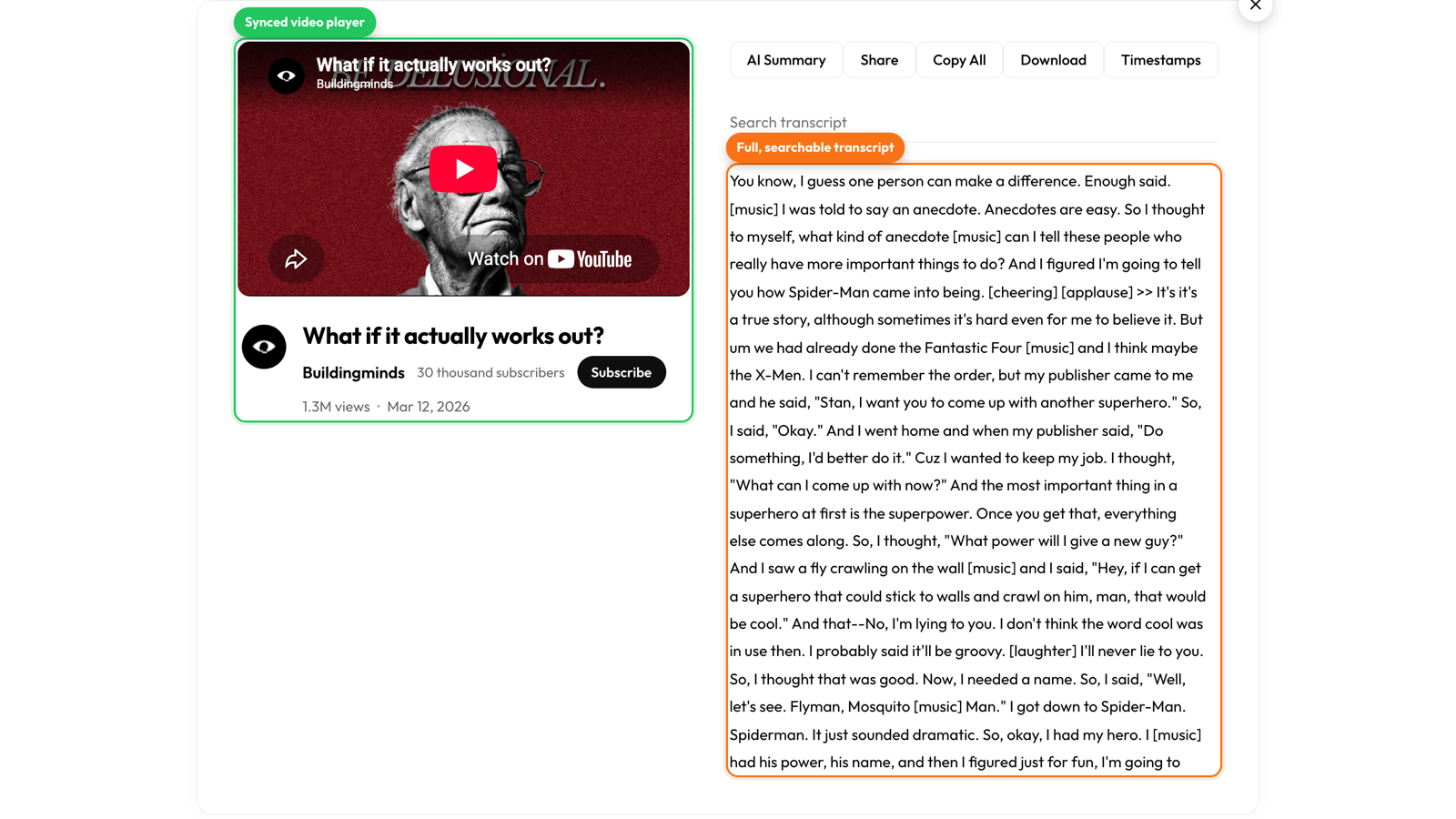
An easy way to get all four in one place is to open the video in Get YouTube Text. Above the transcript, it shows the title, the channel, the view count, and the upload date. So you can see every detail you need for the citation, and you also get the words of the video so you can quote it.
Write these four details down before you start. That way, when you build the citation, you just drop each piece into place. It is much easier than switching back and forth to the video.
Step 2: Write the citation in APA style
APA style puts the uploader first, as the author. Then the date, the title, and the link. Here is the shape it follows:
Uploader. (Year, Month Day). Title of video [Video]. YouTube. URL
Here is a real example, filled in:
TED. (2006, June 27). Do schools kill creativity? | Sir Ken Robinson [Video]. YouTube. https://www.youtube.com/watch?v=iG9CE55wbtY
Notice the small details. The word [Video] goes in square brackets after the title. The word YouTube comes next, then the link. Inside your paper, when you point to the video, you write it short, like (TED, 2006).
Videos do not have page numbers. So when you quote a line, you use a timestamp instead, like (TED, 2006, 3:15). The transcript makes this easy, because every line already shows its time. You just read the time next to the line you are quoting and put it in.
Step 3: Write the citation in MLA style
MLA style starts with the video title in quotation marks. Then it says who uploaded it, when, and where. Here is the shape:
“Title of Video.” YouTube, uploaded by Uploader, Day Month Year, URL.
And here it is filled in:
“Do Schools Kill Creativity? | Sir Ken Robinson.” YouTube, uploaded by TED, 27 June 2006, www.youtube.com/watch?v=iG9CE55wbtY.
The date in MLA goes day first, then month, then year. Inside your paper, you use the first part of the citation in brackets, like (“Do Schools Kill Creativity”). If you are quoting a line, add the timestamp, like (“Do Schools Kill Creativity” 03:15).
So the main differences between APA and MLA are the order and the small marks. APA leads with the uploader and the date. MLA leads with the title. Pick the one your teacher asked for, and copy the shape above.
Step 4: Quote the video accurately
Quoting from memory is risky. It is easy to get a word wrong, and a wrong quote can cost you. The safe way is to pull the transcript and copy the exact line.
With the transcript open, use the search box to jump to the phrase you remember. Then copy that line, word for word, straight into your paper. The time next to the line gives you the exact timestamp to cite. Now your quote is correct and your citation points to the right moment.
If you want the transcript as a document to work from, you can save it as a PDF and highlight your quotes, or put it in Notion next to your notes. That way all your quotes and their times are in one place while you write.
A few common questions
What if the uploader is a person, not a brand? Use the name on the channel. If they use a real name, APA writes it as the last name, then initials, like Robinson, K.
Do I cite the transcript or the video? You cite the video. The transcript is just the tool you used to read it and get the quote right. It is not a separate source.
What about Chicago style? Chicago is close to the others. It uses the uploader, the title in quotation marks, the word YouTube, the upload date, and the link. The same four details cover it, so you can build it from the notes you wrote in Step 1.
Open a video here to get its details and transcript so you can cite and quote it correctly:
Get the details you need to cite any video
Title, channel, date, and the exact words, all in one place. Free, no sign up.